Problem
The school needed more than a brochure website. Admissions, enquiries, events, document collection, and follow-up needed to move through a structured online process instead of relying only on manual email and admin handling.
Real Client Workflow
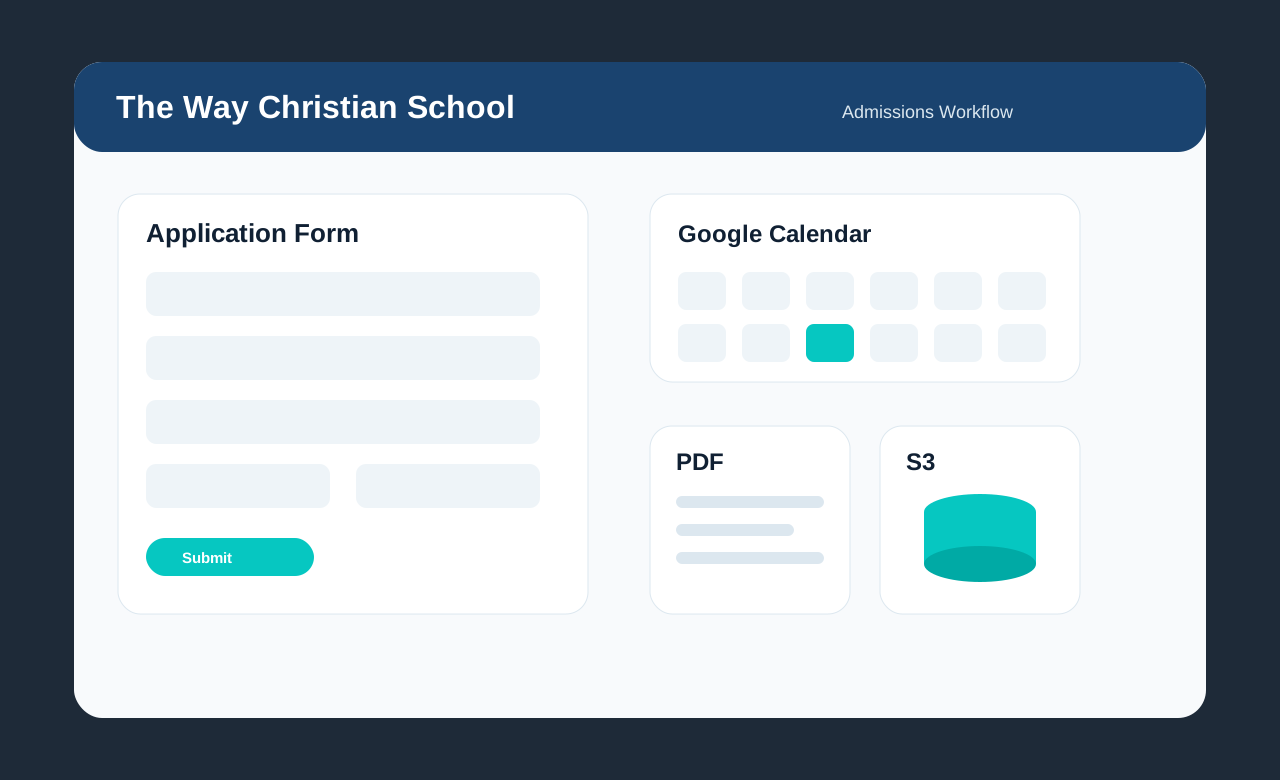
A live client website workflow for The Way Christian School that handles admissions applications, document uploads, Google Calendar events, custom PDF records, and automated email notifications.
Workflow preview
The project combines public website usability with the behind-the-scenes admin work needed to collect documents, create records, and notify the right people.
The school needed more than a brochure website. Admissions, enquiries, events, document collection, and follow-up needed to move through a structured online process instead of relying only on manual email and admin handling.
I built a client-facing school website with a multi-step admissions workflow, custom Google Calendar display, AWS S3 document storage, generated PDF application records, and automated emails for the school and parents.
Client impact
This project connects a public school website to the operational work behind admissions: collecting applications, storing files, generating records, and notifying the correct people.
Built as part of a live client workflow, with the public website acting as the intake layer and server-side processes handling storage, documents, and emails.
Built as part of a live client workflow, with the public website acting as the intake layer and server-side processes handling storage, documents, and emails.
Built as part of a live client workflow, with the public website acting as the intake layer and server-side processes handling storage, documents, and emails.
Built as part of a live client workflow, with the public website acting as the intake layer and server-side processes handling storage, documents, and emails.
Built as part of a live client workflow, with the public website acting as the intake layer and server-side processes handling storage, documents, and emails.
System features
The admissions workflow combines frontend usability with backend automation so the school receives complete, usable application records.
The application form collects learner details, parent/guardian information, sibling details, subject choices, billing responsibility, required files, and final marketing/source information.
The workflow validates South African ID numbers, phone numbers, required grade-specific files, Grade 10-11 subject choices, citizenship-specific documents, and sibling/extra learner requirements.
The system creates structured S3 object keys by application category and application ID, generates upload URLs, stores JSON application records, and retrieves uploaded files for admin email attachments.
Each submitted application generates a branded PDF record with school header/footer assets and structured application details for the admissions office and parent confirmation.
The admissions office receives the application PDF plus uploaded documents, while the parent receives a confirmation email with their generated application PDF.
The website reads public Google Calendar events for primary and high school calendars, filters internal events, displays them in a custom month view, and supports calendar download.
End-to-end flow
The important part of this build is the full process: from a parent completing the form through to the school receiving a usable admissions package.
Implementation stack
These are the main technologies used in the live client project, grouped by the part of the system they support.
Engineering decisions
This section explains the practical decisions behind the project: user experience, server-side safety, operational records, and client privacy.
The system was shaped around how a real admissions office works: collect complete information, keep uploaded documents with the application, notify the correct people, and leave a usable record.
Sensitive operations run through API routes, keeping email credentials, AWS credentials, and PDF generation logic out of the browser.
The application does not only send an email. It also creates a structured record and a PDF snapshot that the school can keep for admissions administration.
Because this is a live client website, the case study focuses on the workflow and architecture without exposing private application data, credentials, or internal school records.
The Way Christian School is a real client and the website is live. This case study explains the architecture and workflow without exposing private admissions data, uploaded documents, credentials, or internal school records.